Dino Game
Description
Some games arrive with fireworks, trailers, and marketing budgets the size of small nations. Others sneak into your life quietly, like a joke scribbled in the margins of history. Dino Game, also known as the Chrome Dino, T-Rex Game, or the lovingly blunt No Internet Game, belongs to the second category. It appears when your Wi-Fi vanishes, offering not despair, but a pixelated dinosaur and a challenge that feels ancient, urgent, and oddly philosophical.
Originally released in 2014 as a Google Chrome easter egg, the Dino Game now attracts over 270 million players every month, proving that boredom, like extinction, is universal.
What Is the Dino Game?
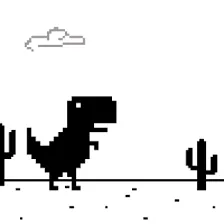
The Dino Game is an endless runner game created by Google Chrome’s UX team, Edward Jung, Sebastien Gabriel, and Alan Bettes. Designed to entertain users during internet outages, it features a small, stoic T-Rex sprinting across a barren landscape of cacti and flying pterodactyls.
The dinosaur isn’t random symbolism. It represents the prehistoric era, a time before the internet, before buffering, before hope. Internally nicknamed “Project Bolan” (a nod to Marc Bolan of T. Rex), the game blends humor, minimalism, and design restraint into something quietly iconic.
Today, you can play the Dino Game online in fullscreen, even with an active internet connection, on PC, mobile phones, and tablets.
Dino Game Gameplay: Simple Controls, Brutal Honesty
The gameplay of the Dino Game is famously minimal. There are no tutorials, no menus, no second chances. Once you start running, time becomes speed, and speed becomes fate.
The dinosaur runs automatically. Your task is to survive as long as possible by reacting to obstacles:
-
Jump over cacti
-
Duck under flying pterodactyls
-
Adjust timing as the game accelerates
As the score climbs, the game grows faster and more unforgiving. Eventually, the background shifts into night mode, reducing visibility and testing your reflexes even further. There is no final level, only endurance.
At 99,999 points, the score reaches its visual maximum and resets to zero, a poetic reminder that even victory loops back into nothingness.
How to Play Dino Game
-
On desktop: press the spacebar
-
On mobile: tap the dinosaur once
Dino Game Controls and Buttons
-
Spacebar – Start the game / Jump over obstacles
-
Up Arrow – Jump (desktop alternative)
-
Down Arrow – Duck under flying pterodactyls
-
Tap Screen – Start game / Jump (mobile devices)
Tips to Get a High Score in Dino Game
-
Learn obstacle patterns: Pterodactyls appear at different heights; don’t jump blindly.
-
Jump late, not early: Especially at high speeds, premature jumps lead to doom.
-
Stay calm during night mode: Reduced contrast makes panic your real enemy.
-
Use ducking wisely: Ducking is faster than jumping and often safer.
Why the Dino Game Endures
The Chrome Dino Game works because it respects your time while quietly mocking it. No downloads. No ads. No progression systems pretending to care about you. Just a dinosaur running forever, asking how long you can keep up.
In a world obsessed with constant connection, the Dino Game thrives on absence. It turns disconnection into play, boredom into ritual, and a tiny gray dinosaur into a global symbol of persistence.